 alt-tabr
100%*
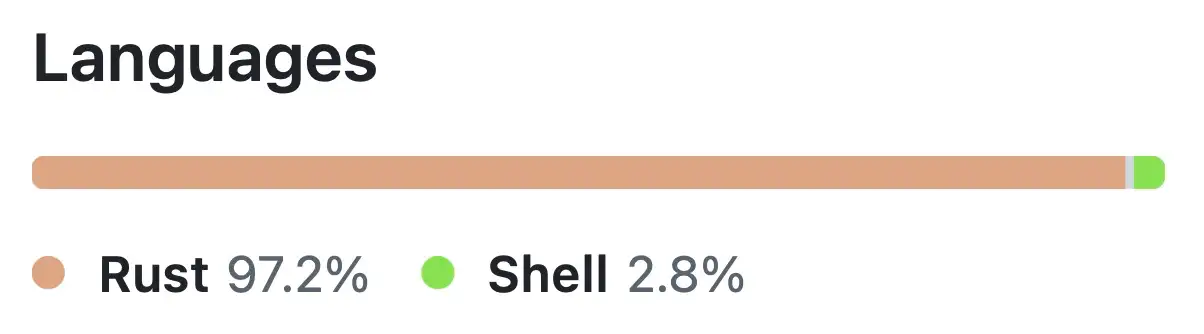
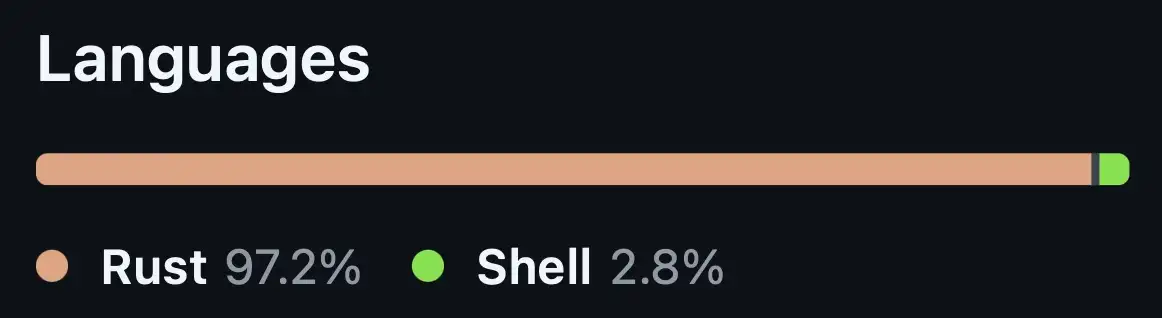
从上到下,全是 Rust
通过 Rust 调用 AppKit,打包成单个自包含二进制文件。没有 Electron,没有 webview,没有捆绑框架,也无需安装任何其他东西。
 alt-tabr
带来 notch 风格的应用切换, 带来 轮播 风格的应用切换, 带来 Liquid Glass 主题的应用切换, 以不到 40 MB 的内存占用, 带来 零遥测, 带来 终身更新
适用于 macOS 13 及更高版本 · Apple silicon 与 Intel · 30 天退款保证

默认主题从摄像头刘海垂下,边角向边框展开。每个窗口占一行;按 Tab 移动高亮。
为什么要替换系统自带的 ⌘Tab?
alt-tabr 沿用你熟悉的 ⌘Tab,替换的是这个快捷键打开的内容。macOS 自带的切换器切到某个应用时,其最小化的窗口会留在程序坞,于是你切过去后屏幕上什么都没有。alt-tabr 会列出每个窗口,包括最小化的窗口,并打开你选中的那个。
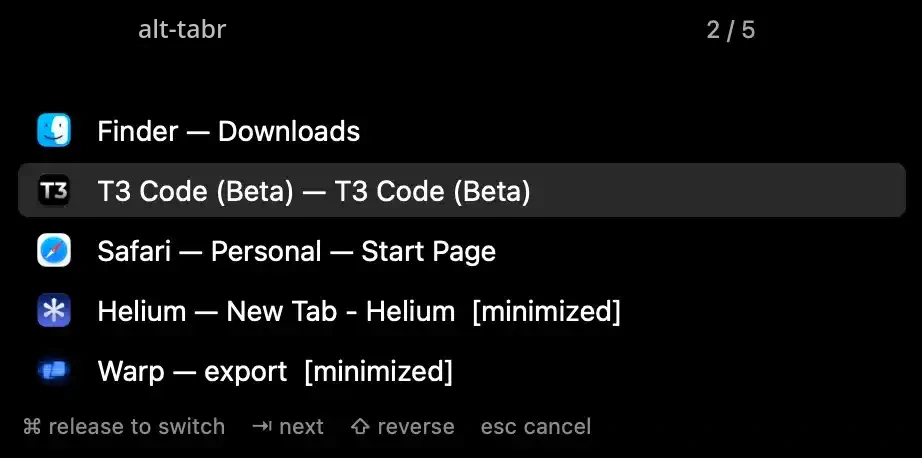
按 Tab 经过时,每个窗口都会来到最前,让你在松手前就看清会落到哪里。按 Esc 则全部复原。
默认关闭,可在「设置 › Switching」中开启
不必松手就能整理:关闭、最小化选中窗口,隐藏其应用或退出应用。切换器会继续停留在其余窗口上。
默认关闭,可在「设置 › Switching」中开启
让每个桌面互不干扰。列表只显示当前空间中的窗口,也包括你从该空间最小化的窗口。
默认关闭,可在「设置 › Windows」中开启
让当前窗口铺满屏幕,位于菜单栏之下、避开程序坞。它仍是普通窗口,不会进入全屏。
默认关闭,可在「设置 › Window Layout」中开启
在任意应用中,把当前窗口送到屏幕左半或右半,最低支持 macOS 13。也可以改用 Control、Option 或 Fn。
默认关闭,可在「设置 › Window Layout」中开启
也可以跳过窗口:同样的选项都在 ~/.config/alt-tabr 里一个带注释的 JSONC 文件中,可直接纳入你的 dotfiles。
alt-tabr 设置
Recently used: the window you used last comes next. By app: each app's windows stay together, apps in recent order.
Skip the switcher on a quick press (默认开启)
Press and release the shortcut within 0.15 seconds to go straight to the next window.
Preview window when switching (默认关闭)
Preview each window as you press Tab. Esc puts them back. Minimized windows open only when you release on them.
Close, minimize, hide or quit from the switcher (默认关闭)
While the switcher is open: W closes the selected window, M minimizes it, H hides its app, Q quits its app.
Show in the switcher
Only windows on the current display (默认关闭)
The display with keyboard focus. With one display, nothing changes.
Only windows on the current Space (默认关闭)
The desktop you are on, including windows minimized from it.
Hide minimized windows (默认关闭)
Hide windows of hidden apps (默认关闭)
Apps hidden with Command-H.
Excluded apps
Spotify, com.apple.Music
These apps' windows never appear. Use app names or bundle identifiers, separated by commas.
Automatic uses the built-in notched display for Notch and Carousel, and the display with keyboard focus for Glass.
Notch style
A list attached to the top of the display, beside the camera notch.
Show app icons (默认关闭)
Mark minimized windows with an icon (默认关闭)
Hide keyboard hints (默认关闭)
Hide alt-tabr title (默认开启)
Carousel style
App icons beside the camera notch, the selected one on the left.
Show the app title below the notch (默认关闭)
Glass style
A Liquid Glass panel in the middle of the focused display.
Show every window at once (默认关闭)
Wraps onto more rows and shrinks the icons to fit the screen, instead of scrolling a row of seven.
Large icons (默认关闭)
About the size of macOS's own Command-Tab switcher.
Fill the screen with the focused window (默认关闭)
Below the menu bar and clear of the Dock. It does not enter full screen.
Move the focused window to the left or right half (默认关闭)
J moves it to the left half, K to the right.
Control+Option takes nothing from other apps. Control takes text editing keys in text fields and terminals, Option takes typed characters, and Fn+F replaces the macOS full-screen shortcut.
Menu bar
Hide menu bar item (默认关闭)
To open Settings while it is hidden, open alt-tabr again.
Startup and updates
Start at login (默认开启)
Check for updates at launch (默认开启)
Once per launch, never in the background.
License
想要这里没有的设置项?告诉我们
100%*
通过 Rust 调用 AppKit,打包成单个自包含二进制文件。没有 Electron,没有 webview,没有捆绑框架,也无需安装任何其他东西。
1
它通过辅助功能读取窗口标题,而不是录制屏幕,也不收集任何关于你使用方式的信息。
<40MB
没有浏览器引擎,也没有运行时。窗口列表只在你按住按键时存在。
切换时的平均值,数据来自下方基准测试。
7.6× 更低
没有定时器,也不轮询:两次快捷键之间它完全不被调度。闲置 11 分钟,alt-tabr 唤醒 CPU 20 次;AltTab 唤醒了 36,373 次。
每年约省下一次满电的 19%
每个应用一年消耗的满电电量占比
两者在同一台 Mac 上连续切换窗口 70 秒*。数值越低越好。
* A keyboard macro recorder replayed the same keystrokes for both apps, so each did exactly the same switching.
两者在同一台 Mac 上闲置 11 分钟。数值越低越好。
| 功能 | alt-tabr | AltTab Pro | AltTab Free | 系统自带 ⌘Tab |
|---|---|---|---|---|
| 价格 | ||||
| 价格 | $9 一次买断* | $9.99 起 | 免费 | 系统自带 |
| 更新 | 终身 | 终身版 $24.99 | 免费 | 随 macOS |
| 切换 | ||||
| 在窗口之间切换,而不只是应用 | 是 | 是 | 是 | 否 |
| 列出最小化的窗口 | 是 | 是 | 是 | 否 |
| Notch 与 Carousel 风格 | 是 | 否 | 否 | 否 |
| 铺满与半屏快捷键 | macOS 13+ | 否 | 否 | macOS 15+ |
| 实时窗口缩略图 | 否 | 是 | 是 | 否 |
| 输入即可搜索窗口 | 否 | 是 | 否 | 否 |
| 隐私与构建 | ||||
| 所需权限 alt-tabr 只需要辅助功能权限。AltTab 还需要屏幕录制权限。 | 1 | 2 | 2 | 无 |
| 编写语言 | Rust + AppKit | Swift | Swift | — |
| 内置第三方框架 | 无 | Sparkle | Sparkle | 无 |
| 性能(数值越低越好) | ||||
| 闲置内存 | 12 MB | — | 143.4 MB | — |
| 切换时内存 | 27.5 MB | — | 133.4 MB | — |
| 11 分钟闲置内的 CPU 唤醒次数 | 20 | — | 36,373 | — |
| 11 分钟闲置内的能耗 | 19 mJ | — | 2,779 mJ | — |
| 切换时能耗 | 2,235 mJ | — | 3,960 mJ | — |
* 首发价:$9,原价 $29。
性能数据来自我们在同一台 Mac 上与 AltTab Free 的基准测试;AltTab Pro 未参与测试。数据截至 2026 年 10 月。AltTab 是独立项目;alt-tabr 是独立实现。
一次付费。全部功能。永久拥有。
300 份首发授权,仅需 $9,之后 $29
$9
前 300 位客户
$29
之后
一份授权,最多 3 台 Mac
$9 $29
一次性付款 · 含税
购买 alt-tabr · $9由 Dodo Payments 安全处理付款 无需订阅,无需账号 支持美元或本地货币支付 授权码通过邮件发送
30 天内不满意,免费。 试用 alt-tabr 30 天。如果它没能让你的窗口切换更快,给 Nima 发邮件,全额退款。不问原因,无需表单。

还有疑问? 发邮件给 alt-tabr 的开发者 Nima:alt-tabr@mohajeri.dev。
为 Mac 而生的窗口切换器。
alt-tabr 可替换 Command+Tab,或新增 Option+Tab,打开一个列出所有窗口(而非所有应用)的切换器,最小化的窗口也包含在内。
这是一款用 Rust 编写的原生应用,适用于 Apple silicon 和 Intel Mac 上的 macOS 13 及更高版本,一次付费 $9,享受终身更新。
它切换的是窗口,不是应用。
macOS's built-in switcher shows apps, so three Safari windows are one entry. Switch to an app whose windows are minimized and they stay in the Dock.
alt-tabr 使用同样的 Command+Tab 快捷键,但会列出每个窗口(包括最小化的窗口),并准确打开你选中的那一个。
更轻巧、原生,刘海优先。
AltTab 免费、开源且非常出色,支持实时缩略图;AltTab Pro 还增加了搜索和更多风格。
alt-tabr 的范围更小:一个自包含的 Rust 二进制文件,主题围绕 MacBook 刘海设计,只用一项权限而不是两项,等待快捷键时不运行任何东西。
alt-tabr 所采用的语言,为速度与可靠性而选。
Rust 是一门编程语言,以快速、轻量、极少崩溃的应用著称。它能在应用到你手上之前就拦截整类缺陷——这类缺陷正是别处许多崩溃和安全漏洞的根源。
对你来说,这意味着应用瞬间打开、不打扰你、占用少量内存和电量,并且持续稳定运行。
微软、谷歌和亚马逊也出于同样的原因,在 Windows、Android 及其云服务中使用 Rust。
任何运行 macOS 13 或更高版本的 Mac。
Apple silicon 或 Intel。两者各有独立的原生版本,你的 Mac 只运行专为它编译的代码。
Liquid Glass 主题在 macOS 26 及更高版本上使用原生玻璃材质,更早版本则使用系统模糊效果。
只需要辅助功能。
辅助功能权限让它能列出并聚焦窗口。它通过辅助功能读取窗口标题,而不截取屏幕,因此从不需要屏幕录制权限。
不收集任何关于你使用方式的信息。
没有分析,也没有遥测。alt-tabr 只会在启动时联网一次,向 Dodo Payments 确认授权并检查更新(你可以关闭)。
除此之外,只有在你激活授权码或点击「检查更新」时才会联网。离线也能正常使用。
不会。你不按快捷键,它什么都不做。
两次快捷键之间它处于休眠:不轮询、不定时、不扫描窗口。窗口列表只在你按下快捷键时读取,松手即丢弃。
可以。
在设置中把快捷键设为 Option+Tab,Command+Tab 就会回到 macOS 自带的应用切换器。
可以,一个授权码最多支持 3 台。
比如笔记本和台式机同时使用:在每台机器上输入同一个授权码即可。无需额外购买。
如果 3 台都已占用,又换了新 Mac?在旧 Mac 的设置中点击「停用这台 Mac」以释放名额。
忘了停用已经不再使用的 Mac,或者先把它抹掉了?把授权码和那台 Mac 的名称发到 alt-tabr@mohajeri.dev,申请停用即可。
可以,通过邮件。
每个授权码最多支持 3 台 Mac。如果你的团队或公司需要更多,请发邮件至 alt-tabr@mohajeri.dev,说明需要覆盖多少台 Mac,Nima 会为你的企业安排批量授权。
不是。
一次付费,永久保留你购买的版本,以及之后的所有更新。
美元,或你本国的货币。
结账默认以美元进行。如果想用本国货币支付,在结账页面的货币菜单中选择即可,价格会按实时汇率换算。
销售税和增值税已包含在内,看到的价格就是实付价格。
可以,30 天内。
没有试用,但有 30 天退款保证。如果 alt-tabr 不适合你,在购买后 30 天内发邮件至 alt-tabr@mohajeri.dev,即可全额退款。